
Order printing in the kitchen
Customers order takeaway on your website. The kitchen receives a ticket with the details your team needs.
DKK 275 + VAT per month
Explore order printing and printer setup
Send online orders from your restaurant’s website to a printer in the kitchen. Or let guests order food and drinks at the table on your tablets. OrderHub offers two separate services that can use the same printer app.
Choose the service you need. Best2Business helps clarify the equipment, connections and workflow.
Customers order takeaway on your website. The kitchen receives a ticket with the details your team needs.
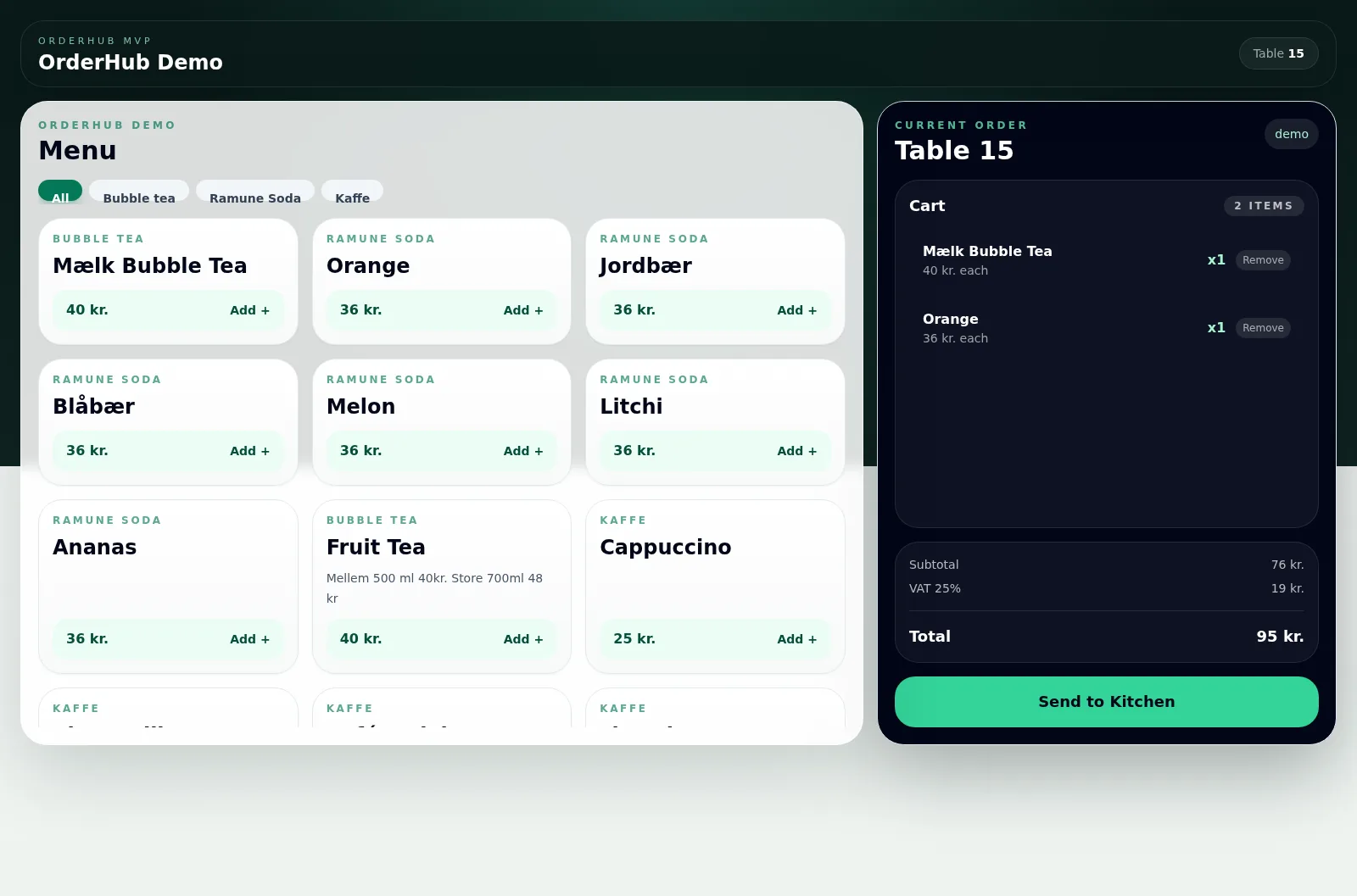
Guests view the menu and submit their order at the table. The table number stays with the order, which can be printed through the same printer app.
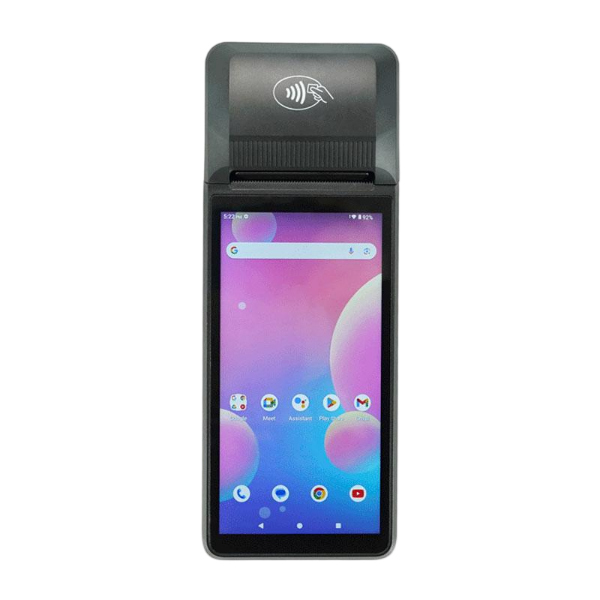
When customers order on your restaurant’s website, the order needs to reach the people preparing the food. OrderHub’s order printing service connects online ordering to a compatible order or POS printer through the printer app.
DKK 275 + VAT per month for the order printing service. Hardware and installation are clarified in the quote.
ONLINE ORDER
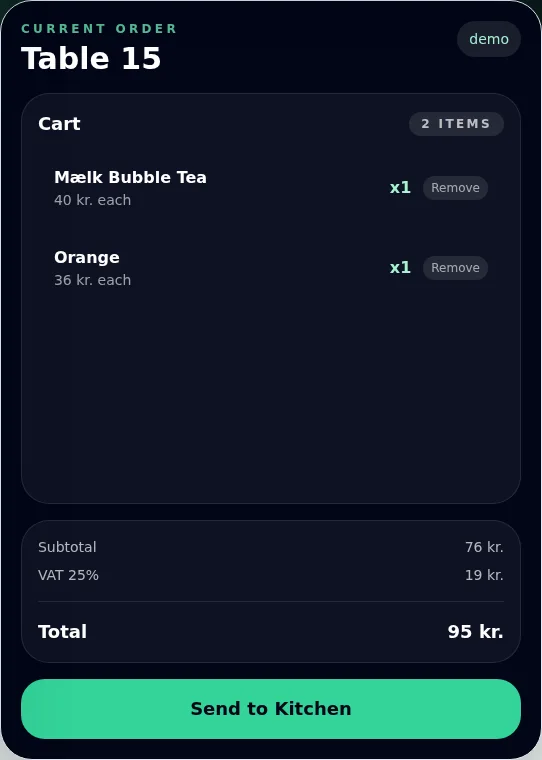
A digital menu on your restaurant’s own tablets makes it easy to choose food and drinks at the table. Guests submit their own orders, and the table number carries through to your team.
DKK 275 + VAT per month for tablet ordering alone. Both services together: DKK 379 + VAT per month. Hardware and installation are clarified in the quote. Payment continues through your restaurant’s existing payment flow.
Online ordering and tablet ordering start in different places. With the agreed setup, both can send orders to the same OrderHub printer app and compatible kitchen printer.
Tell us what you use today and where orders need to go. We can then identify the solution, equipment and support you need.
Order printing, tablet ordering or both. We review your website, order system, printer model and any tablets before agreeing the delivery.
The setup is agreed to suit your order flow. Products, options, notes and relevant table or pickup details are checked using test orders.
Training, the daily workflow and support are agreed at setup. Best2Business is your contact for the technical configuration.
Do you already have a printer? Send the model name or a photo of the label. If you need equipment, we help identify a suitable order printer, tablet and connection.
Explore printers and order printing at Best2Business →Start with the service that meets your needs. If you want both, we review how they can share the printer app in the kitchen.
+ VAT per month
For the order printing service that sends the restaurant’s online orders to a compatible kitchen printer through OrderHub’s printer app.
Hardware, installation and the exact scope are clarified in the quote.
Talk to us about order printing+ VAT per month
For ordering at the table on the restaurant’s tablets. We review the menu, table numbers, number of devices and the required connection to the printer app.
Hardware, installation and the exact scope are clarified in the quote.
Talk to us about tablet ordering+ VAT per month
Website order printing and tablet ordering at the table in one agreement. Both order flows can use the shared printer app in the kitchen.
Hardware, installation and the exact scope are clarified in the quote.
Talk to us about both servicesAll prices are monthly service fees excluding VAT. The printer, tablets, installation and exact scope are clarified in the quote.
They are two separate services that can be chosen individually or together. Order printing sends online orders from the restaurant’s website to the kitchen printer. Tablet ordering lets guests order at the table on the restaurant’s tablets. Both can use the same OrderHub printer app.
Order printing alone costs DKK 275 + VAT per month. Tablet ordering alone also costs DKK 275 + VAT per month. Both services together cost DKK 379 + VAT per month. Hardware, installation and the exact scope are clarified in the quote.
Yes. Online orders and tablet orders can be printed through the same OrderHub printer app. We review the order system connection, printer compatibility and ticket details, and test both flows before launch.
That depends on the model and setup. Send the printer’s model name or a photo of its label, along with the name of your ordering system. We confirm whether it can be used or what a suitable solution requires.
The current tablet ordering service uses the restaurant’s own iPads or tablets, a modern browser, a stable internet connection and WooCommerce as the menu and order source. We review the menu, table numbers, equipment and printer connection before launch. Equipment and installation are clarified in the quote.
Tablet ordering sends the order onwards. Payment takes place through the restaurant’s existing payment flow, which we review with you during setup.
The ticket can show items, quantities and relevant order details, such as options, notes, pickup or delivery. Tablet orders can include a table number. The exact content depends on the order source and agreed setup and is tested before launch.
Best2Business reviews your needs and agrees the specific setup, testing, staff introduction and support. You get a contact person who understands the connection between the website, tablets and printer.
Best2Business also helps with restaurant websites, online takeaway, hosting and table reservations. Tell us what already works and where you need support.
Tell us about your website, printer and any tablets. We review your workflow and clarify the right service, setup and price.